Integrating Monitors – NSB Guide |

by thesneakerscroll@gmail.com


A monitor is a Discord channel that monitors the stock as it comes in so that you don’t have to keep refreshing each site.


How To Integrate A Monitor
Step 1: Choose a monitor in a discord group that you want to integrate in NSB.


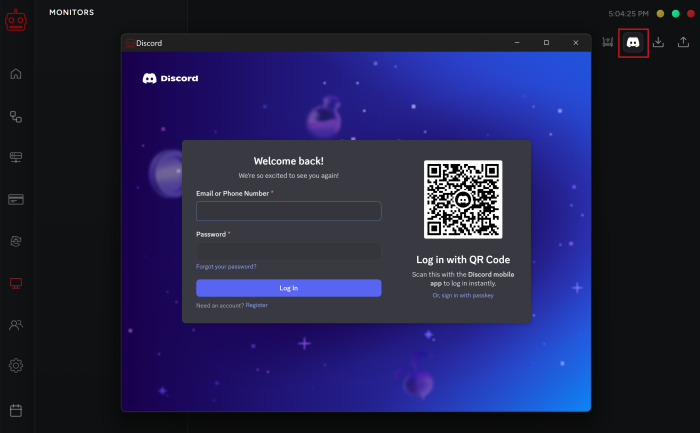
Step 2: Go to the Monitors tab in your bot and select the discord icon in the top right corner.


Step 3: Then log into your discord account. If it is green that means you are logged into your discord.


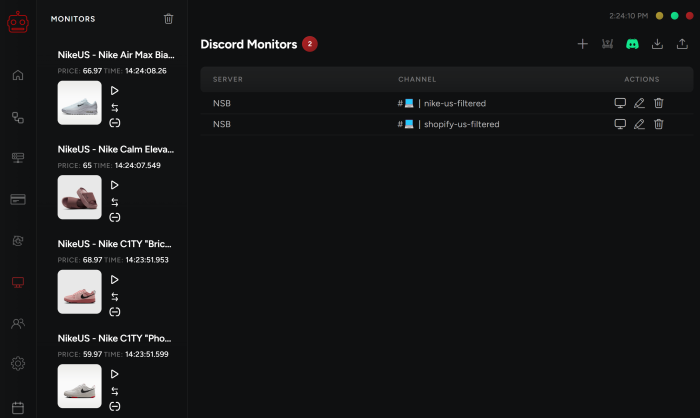
Step 4: Click on the “+” on the top right to add a new monitor.


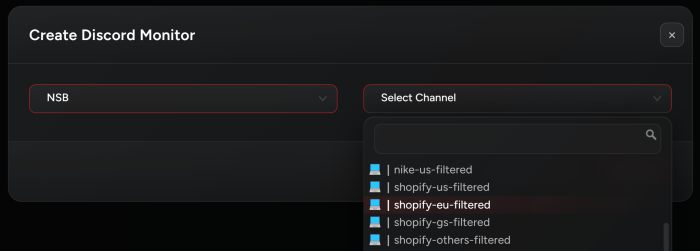
Step 5: Select the server and channel you want to add and then submit.


Note: You can add as much monitors as you wish.


Post Views: 3


You may also like

Leave a Comment