
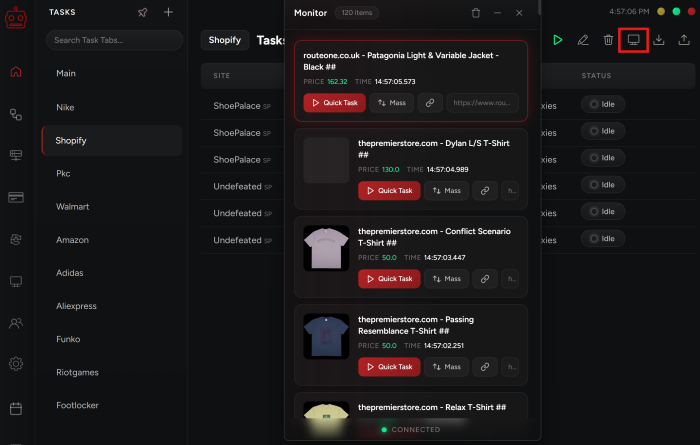
The “Monitor” is on the top right of the “Tasks” tab.
-
The in-bot monitor is directly connected to the “MONITORS” category in our Discord server, and the items that drop there will appear on your in-bot monitor as well.
-
There is a green light at the bottom of your monitor window, which means that it is connected & working. If it turns red, it means it is not working.
-
For scheduled date/time drops, it is better not to rely on the monitor and instead follow our instructions in the “RELEASE GUIDES” category on our discord. The shared monitor is best used for sudden drops.
-
Keywords field is mandatory when hooking a task to the monitor. Keywords are the connection and the task will only start if the dropped item has the keywords and is from the same site.
Adding a Discord Monitor to NSB
NSB has its own Monitor for certain sites, but in order to give you the ability to add your own monitors for all sites, we give you the option to add monitors from other bots/cookgroups using Discord.
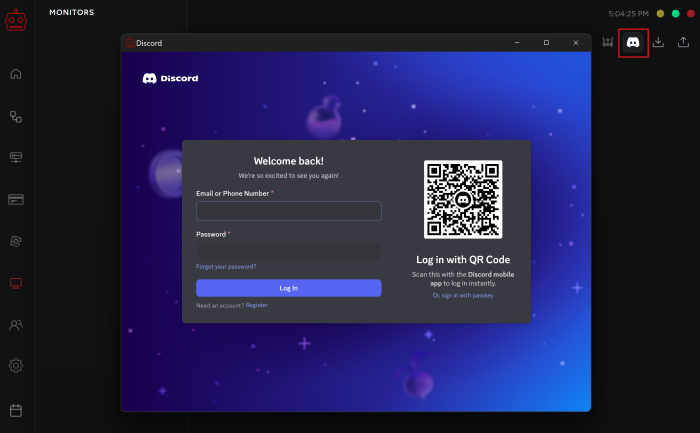
Move your mouse over to the monitor tab on the left-hand menu to open it, then go to the top right and click on the discord icon to sign into your server.
-
Login to your discord account through the discord icon.
-
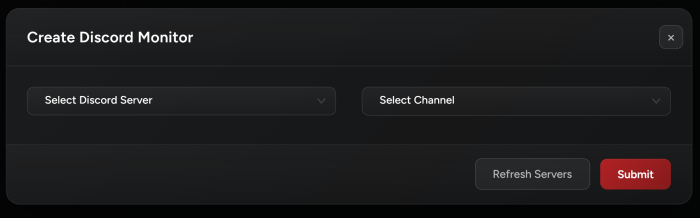
Click on “+” on the top right corner to add a new monitor.
-
Select the server and the channel the monitor is in to add it to your list of in-bot monitors.
-
The task will automatically start when the item drops on the first monitor that picks it up!
NSB Monitor vs Discord Monitors
The NSB monitor constitutes a list of monitored sites that appear in the “MONITORS” category in our Discord server. Whereas discord monitors can be any channel in your discord that monitors sites from Cookgroups or other bot monitors. This is more powerful because it gives you no limit on which site and item to monitor.
You can integrate as much monitors as you wish into NSB, as long as they are under the same discord account.
It is recommended to use both NSB and discord monitors to increase your chances of catching the item you are monitoring for.
Post Views: 4
