Funko – NSB Guide

by thesneakerscroll@gmail.com


NSB Guides

NSB supports the following regions for Funko:

FunkoDE, FunkoES, FunkoFR, FunkoGB, FunkoIT, FunkoNL, FunkoPL, FunkoRO, FunkoUS.


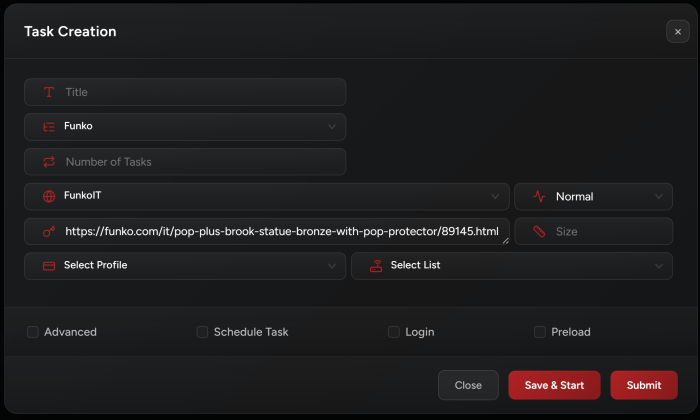
Task Creation

  1. Input:

    You may use the item URL or the item code as task input.


  2. Accounts:

    • It depends on the item, some items may require accounts, some don’t.

    • If the item doesn’t require accounts, you may keep the login checkbox disabled to checkout as guest.


  3. CapSolver:

    In order to pass Funko site security, you need to add a Capsolver key in NSB settings tab.


  4. Proxies:

    You may use ISPs or Residentials.


  5. Quantity:

    You can specify task quantity by enabling the Advanced field and setting the desired quantity.


Release Tips:

  • Enable “Preload” checkbox for 70% of your tasks.

  • Keep the default task delays.

  • Start tasks 2 minutes before drop time.


Post Views: 13


You may also like

Leave a Comment